 Ascent



Bulk caption tools — rewrite titles & descriptions on Strava
Bulk AI rewrite AI captions with stats, roast & weather
Tick activities and hit Rewrite. Overwrites them on Strava (can't be undone) — you'll confirm the count.
Bulk stats captions no AI — built from the numbers, free & instant
Same multi-select, plain stat captions (no AI, no cost). Overwrites them on Strava — you'll confirm the count.
Ask an AI about your training. It sees a compact summary of your activities — totals, per-sport, recent weeks and trend — never your raw GPS. Pick your provider in Settings.
What to show
Untick a page to take it out of the sidebar, or a card to hide it everywhere. Saved on this device only; your data isn't touched. With AI insights off, no AI calls are made for them.
AI provider
Choose which AI analyses your data in the AI Coach, and paste your own API key below. Everything here is saved on this device only — your key never leaves your browser except to call the provider through this app.
Don't have one? Get a key from your provider (links below), paste it here, then hit Test connection. Leave blank to use a key configured on the server instead.
🔑 How to get an API key & where to put it
Grab a key from your preferred AI provider below. (The key is configured on the server, never in this page — see the developer notes.)
Get a key from your provider
- DeepSeek (cheapest, prepaid) — platform.deepseek.com → API keys → Create. Top up a few dollars first (it starts at $0). Env var:
DEEPSEEK_API_KEY - OpenRouter (one key, hundreds of models) — openrouter.ai/keys. Env var:
OPENROUTER_API_KEY - Groq (has a free tier) — console.groq.com/keys. Env var:
GROQ_API_KEY - OpenAI — platform.openai.com/api-keys. Env var:
OPENAI_API_KEY - Claude (Anthropic) — console.anthropic.com. Env var:
ANTHROPIC_API_KEY - Mistral — console.mistral.ai/api-keys. Env var:
MISTRAL_API_KEY
2 · Paste it into Vercel (one time) dev
- Open vercel.com/dashboard → your project → Settings → Environment Variables.
- Add Key = the env var name above (e.g.
DEEPSEEK_API_KEY), Value = your key (e.g.sk-…). Save. - Also add
OWNER_ATHLETE_ID= your Strava athlete id (so only you can use the key). - Redeploy for it to take effect (Vercel → Deployments → ⋯ → Redeploy, or run
vercel --prod). - Back here, hit Test connection above — green means you're ready. ✅
🔒 Your API key is safe — it never touches this page dev
- We never store your API key in the browser. It is not saved in
localStorage, cookies, or anywhere on this device — so it can't be read by scripts, browser dev-tools, or extensions. There is nothing here to steal. - Where it actually lives: as a server-side environment variable on Vercel (
DEEPSEEK_API_KEY,ANTHROPIC_API_KEY, …). Only the server can read it, and it never gets sent to your browser. - Only your account can use it. Every request is verified against your Strava identity, so nobody else can spend your credits.
- Stored on this device: only your provider choice and optional model name — neither is secret.
- To set or change a key: add it in Vercel → Settings → Environment Variables, then redeploy. Never paste a key into this page.
How your data is loaded
- Source. Everything comes from the official Strava API using your own login — this dashboard has no server and never sees your password.
- Activities. Your full activity history is fetched (
/athlete/activities, paged) and cached so revisits are instant. Aggregate "all-time / YTD / last-4-weeks" figures in Trophies come from Strava's totals endpoint (/athletes/{id}/stats). - Caching. Results are cached only in your browser (localStorage) so revisits are instant — nothing is stored on a server. The cache refreshes about once an hour, or immediately when you hit Refresh.
- Detail on demand. When you open Share Story or Segments, extra data is fetched per item — the detailed activity (for Energy/Calories/power), GPS streams (for the waveform charts), and segment routes.
- Units. The km / mi switch in the top bar converts every distance, speed and elevation across the app. Named metric milestones (e.g. "1,000 km Club", Everest) stay metric on purpose.
What the metrics mean
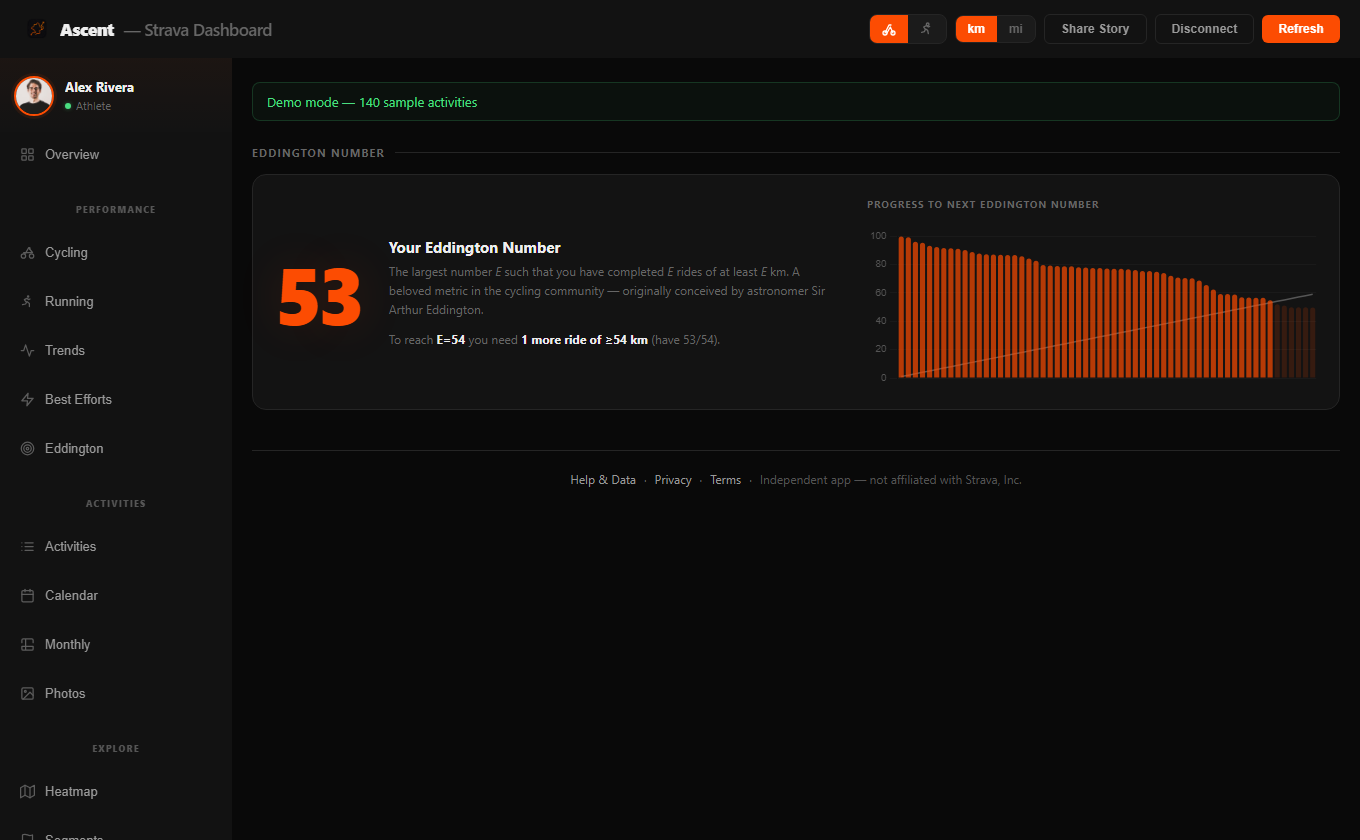
- Eddington Number (E)
- The largest E where you've ridden at least E km on E separate days. E=70 means 70 rides of ≥70 km. A tough, cumulative measure of consistent big days. (Recomputed in miles when mi is selected.)
- Consistency
- How even your training is week to week, over your active span (up to 26 weeks). It's 100·(1 − the variation of your weekly activity counts), so wildly uneven weeks and gaps lower it — being active most weeks alone won't give 100%.
- Activity / Day Streak
- Your longest run of consecutive calendar days with at least one activity.
- Moving vs Elapsed Time
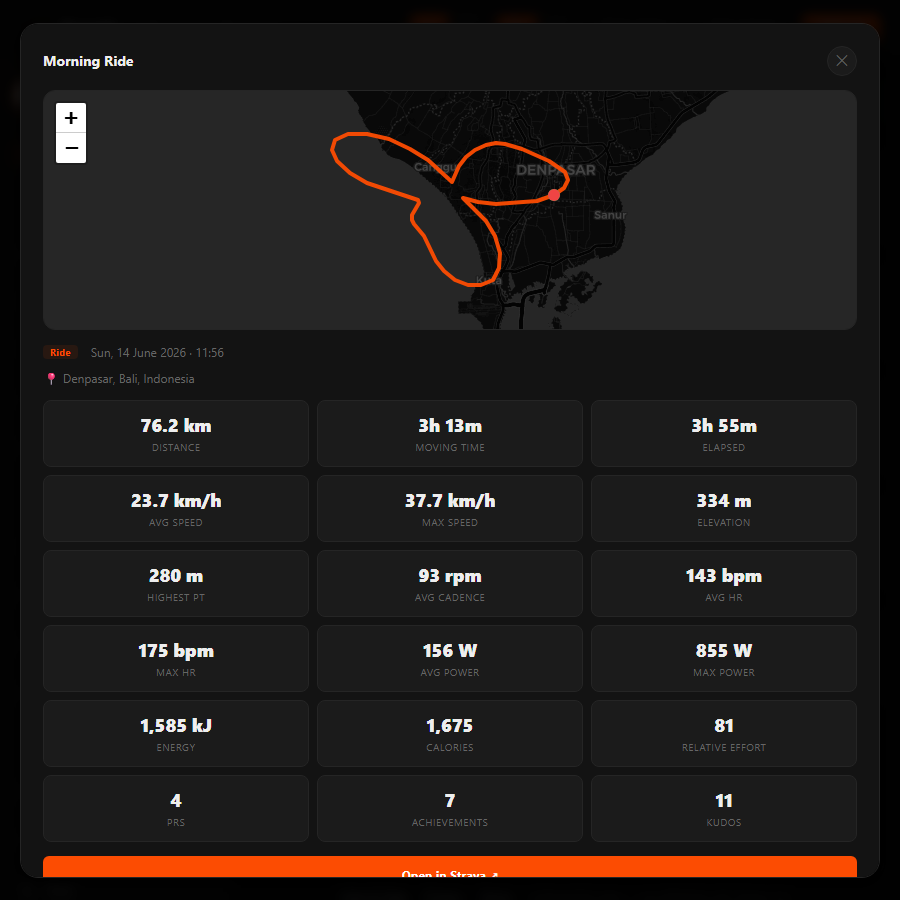
- Moving time excludes pauses/stops; elapsed time is the full wall-clock duration. Stats here use moving time.
- Avg / Max Speed
- Average and peak speed Strava recorded for the activity, shown in km/h or mph.
- Best Pace
- Runner metric — minutes per km/mi for your fastest run.
- Cadence
- Pedalling or step rate — rpm (revolutions per minute) for rides, spm (steps per minute) for runs.
- Elevation Gain & Highest Point
- Total metres (or feet) climbed — the sum of all uphill sections — and the highest altitude reached on the route.
- Avg / Max / Normalized Power
- For rides with a power meter: your mean and peak watts, plus Normalized Power — a weighted average that reflects the metabolic cost of changing efforts better than a plain average.
- Energy (kJ) & Calories
- Work done / energy burned, from Strava's detailed activity (power-based for rides). Some activities have no value if Strava didn't compute one.
- Temperature
- Average ambient temperature recorded by your device during the activity, when available.
- Suffer Score / Relative Effort
- Strava's measure of how hard a session was, based on time spent in heart-rate zones.
- VAM
- Velocità Ascensionale Media — your average vertical climbing speed in metres (or feet) per hour, from your PR time on a climb. Higher = a stronger climb; elite climbs are ~1,600+ m/h.
- KOM / QOM / CR
- King/Queen of the Mountain / Course Record — being the fastest-ever on a segment. "With PR" means you have a personal record on it.
- PRs & Achievements
- Personal records and trophies Strava awarded on your activities (e.g. fastest 5 km, biggest climb).
- Kudos & Comments
- The "likes" and comments your activities received from other athletes.
What each section shows
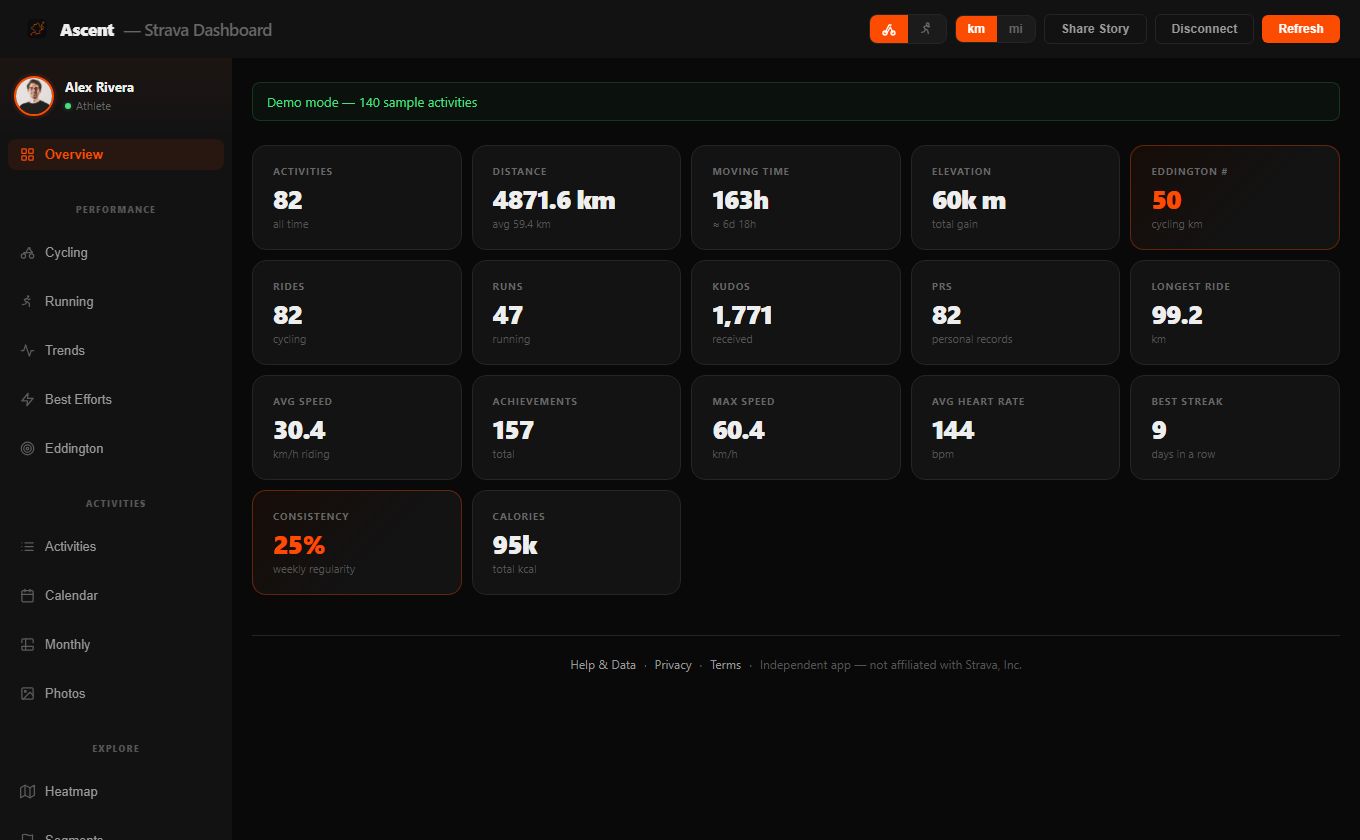
- Overview
- Headline stat cards for the selected sport — totals, averages, best efforts, kudos and achievements across your loaded activities.
- Cycling / Running
- Sport-specific performance: your fastest efforts, a speed or pace trend over recent activities, and top rides/runs.
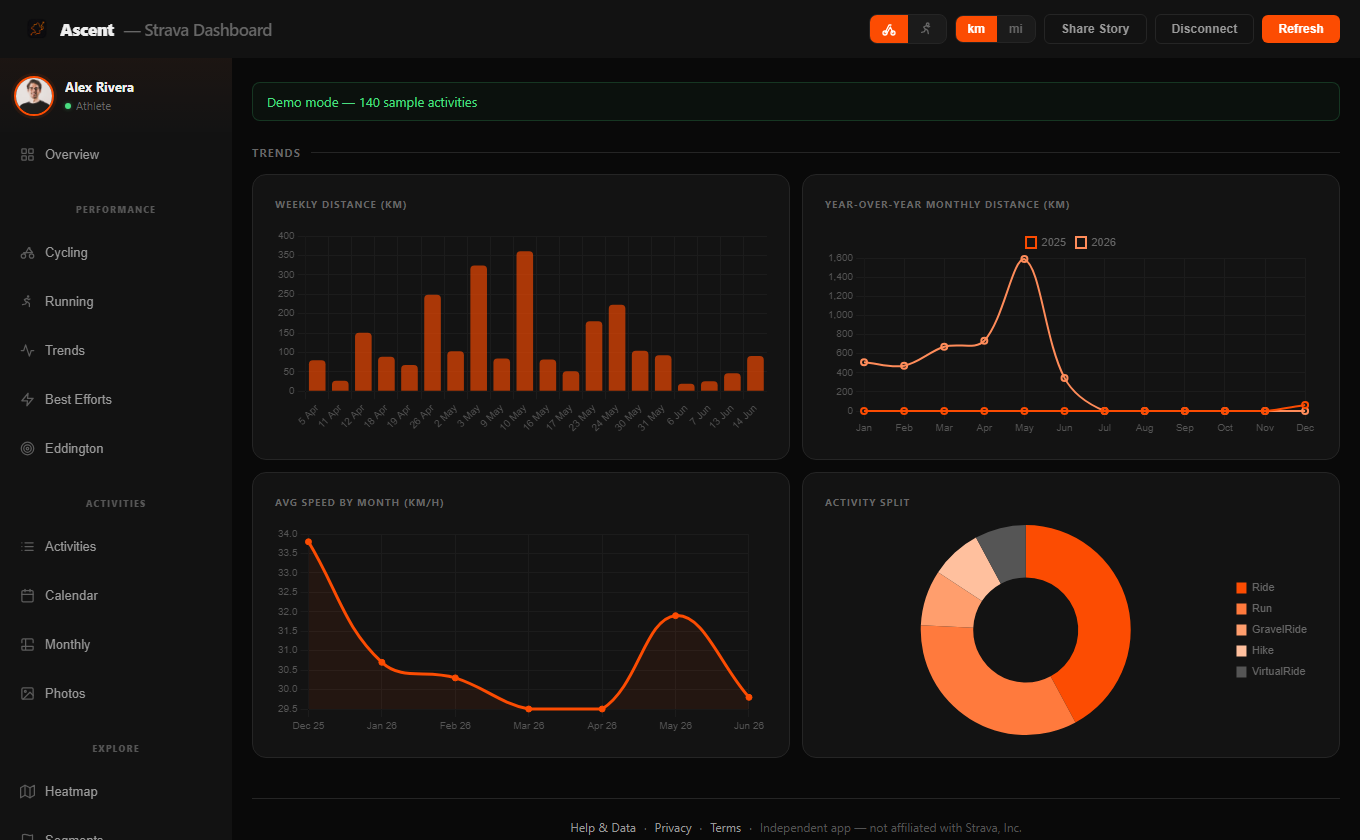
- Trends
- Distance per week and per month, plus a rolling speed/pace chart, so you can see your training direction over time.
- Activities
- Your most recent activities as a list — click any row to open its full detail card — alongside a distance bubble chart.
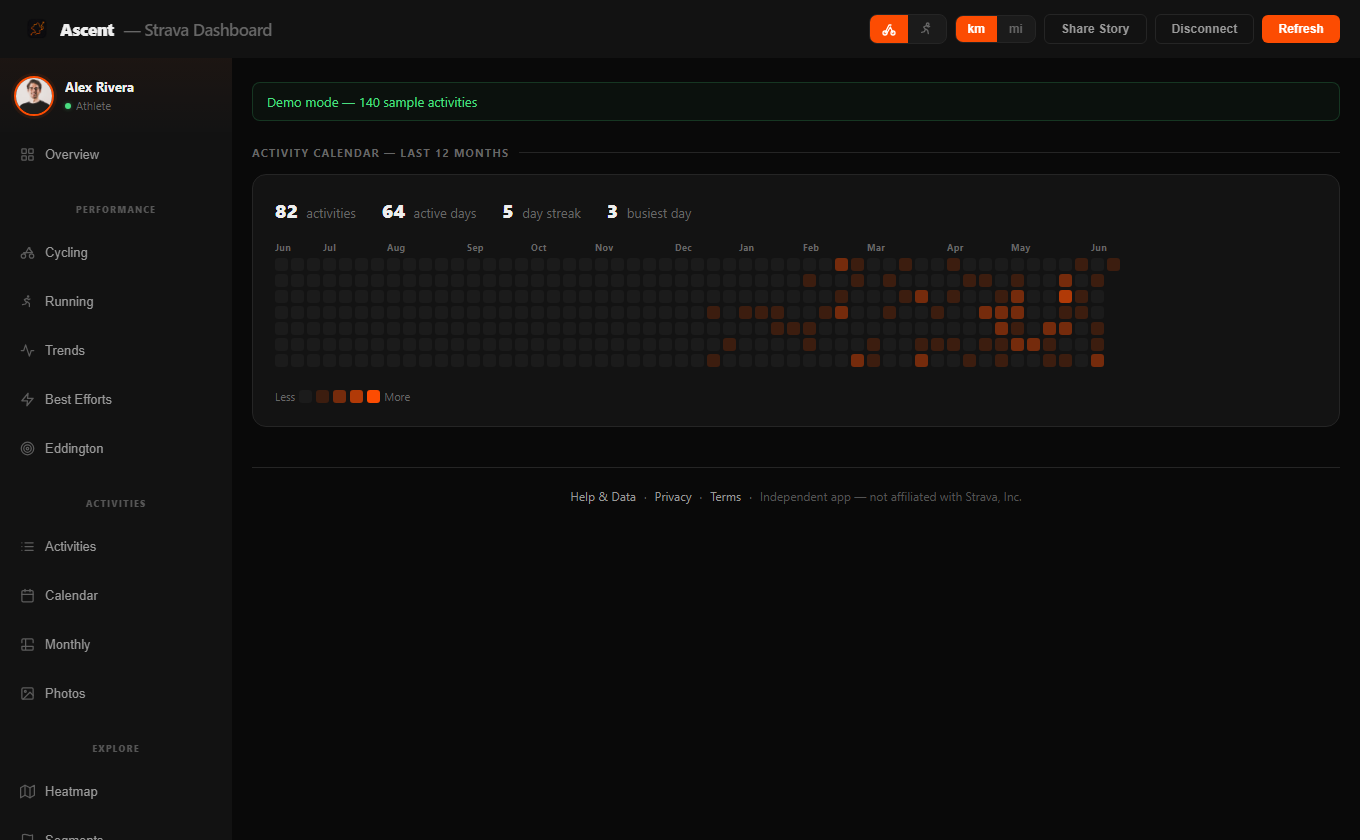
- Calendar
- A 12-month contribution grid: one cell per day, shaded by how many activities you did, with active-day and streak totals.
- Eddington
- Your Eddington number with a chart of how many more long days you need to reach the next milestone.
- Monthly
- A month-by-month breakdown of distance, time and activity count, and a side-by-side comparison of recent months.
- Best Efforts
- Your longest, fastest and biggest-climbing activities, ranked.
- Gear
- Per-bike and per-shoe totals (distance and rides), pulled from the gear registered on your Strava profile.
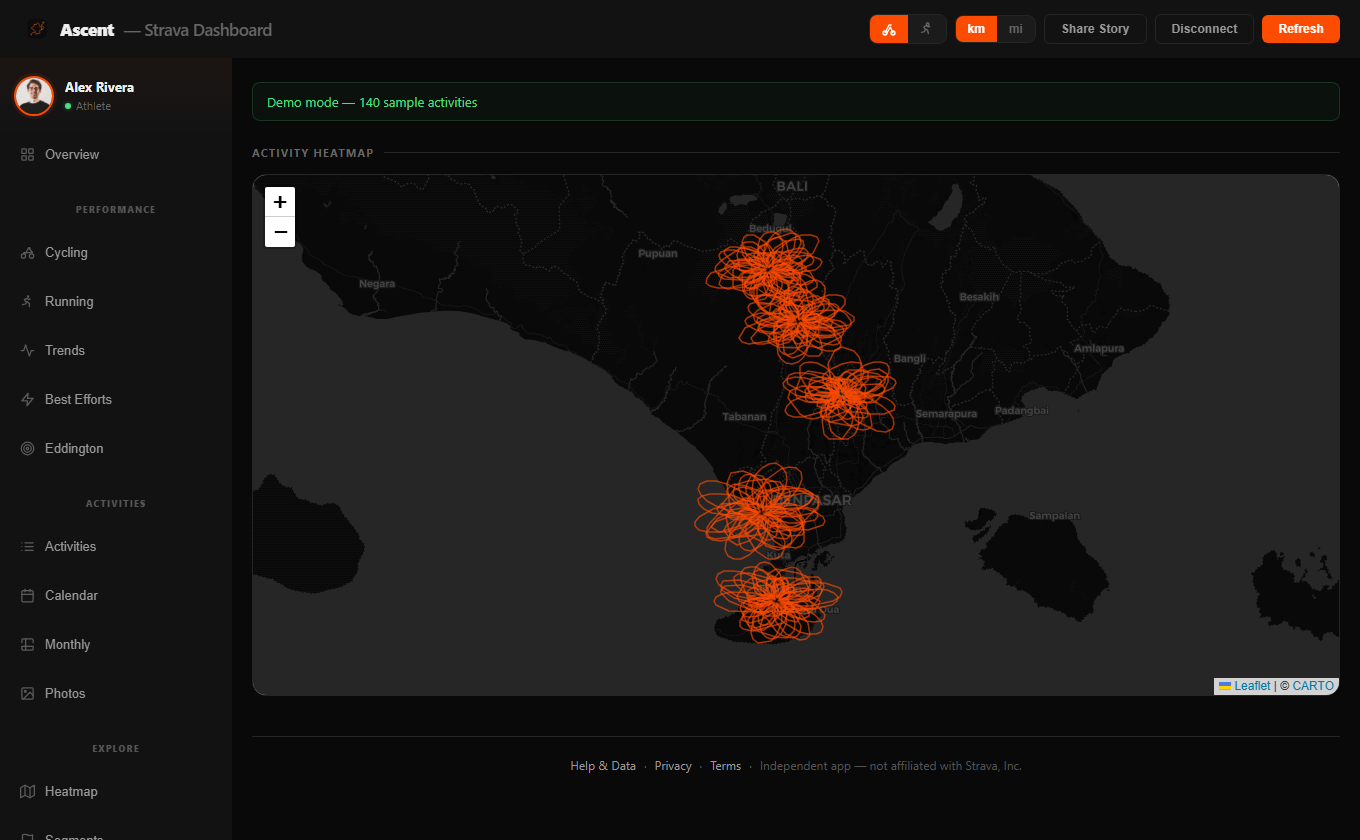
- Heatmap
- An interactive map with every route's GPS trace overlaid, so your most-ridden roads glow brightest.
- Segments
- Your starred segments with maps, your PR time, KOM/QOM status and VAM on each. Tap the expand button on any segment to open a big, zoomable map with the full route and every detail.
- Milestones
- Named distance and elevation achievements (e.g. "1,000 km Club", an Everest of climbing) and how close you are to the next.
- Rewind
- A year-in-review summary of a chosen year — totals, highlights and standout activities.
- Trophies
- All-time, year-to-date and last-4-week totals from Strava's stats endpoint, plus any KOMs/CRs.
- Photos
- A gallery of photos attached to your activities, opening in a full-screen lightbox.
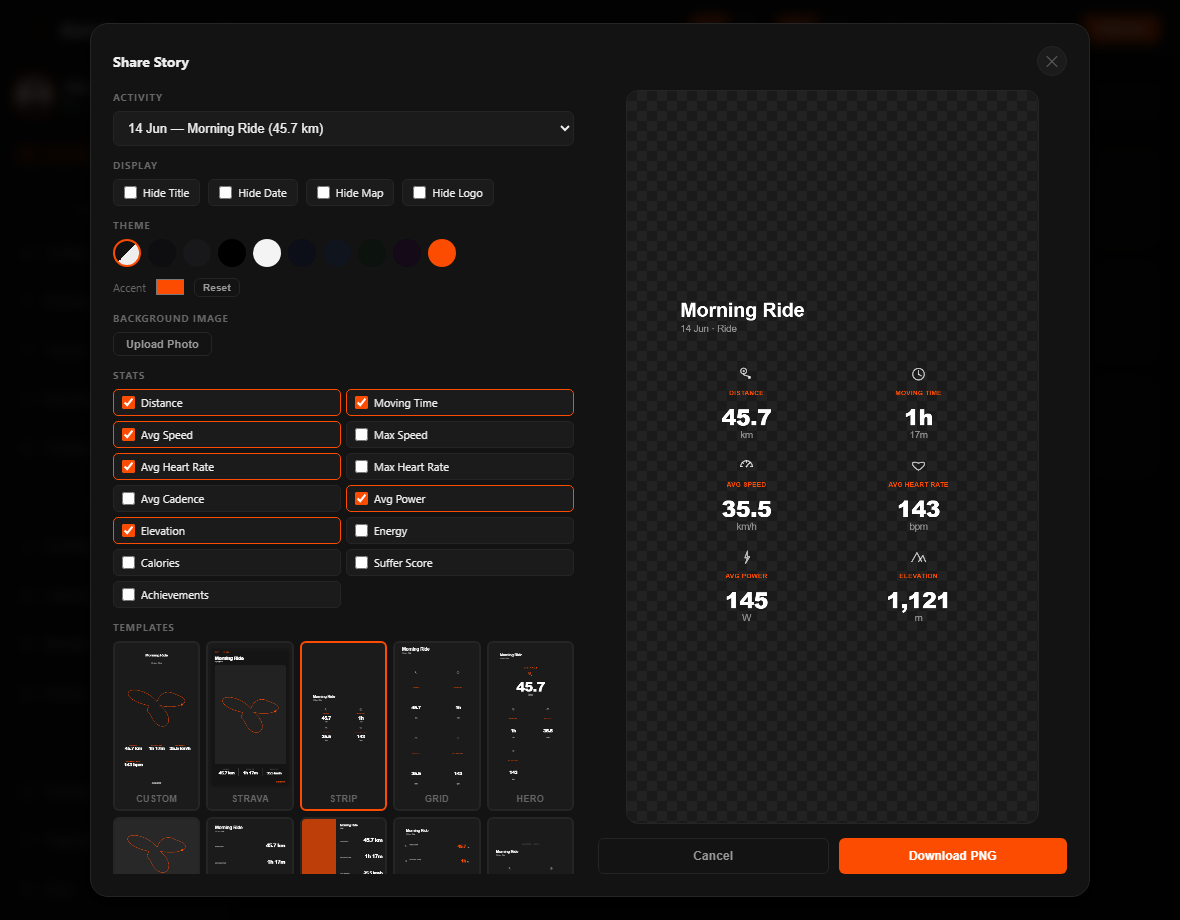
- Share Story
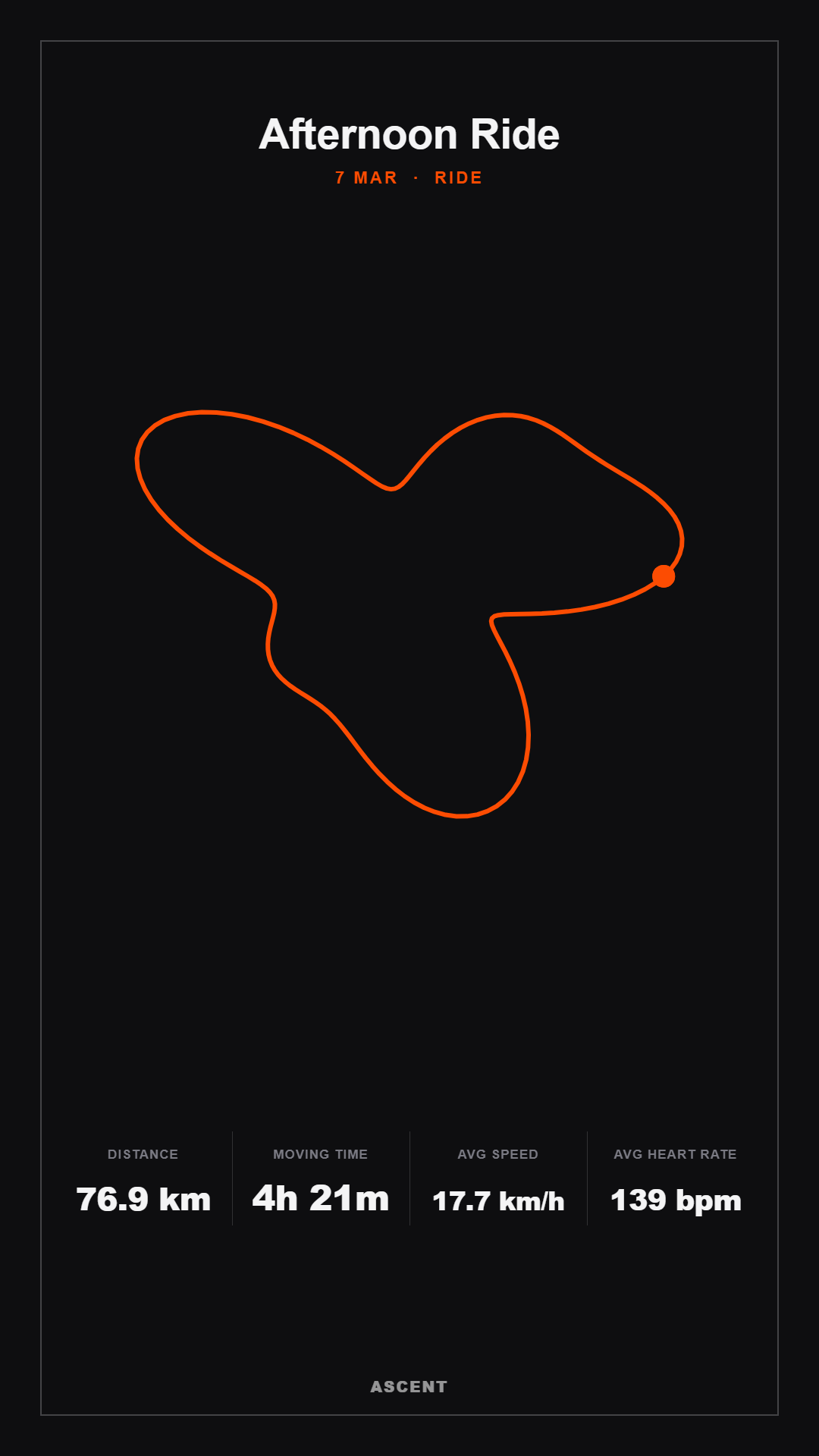
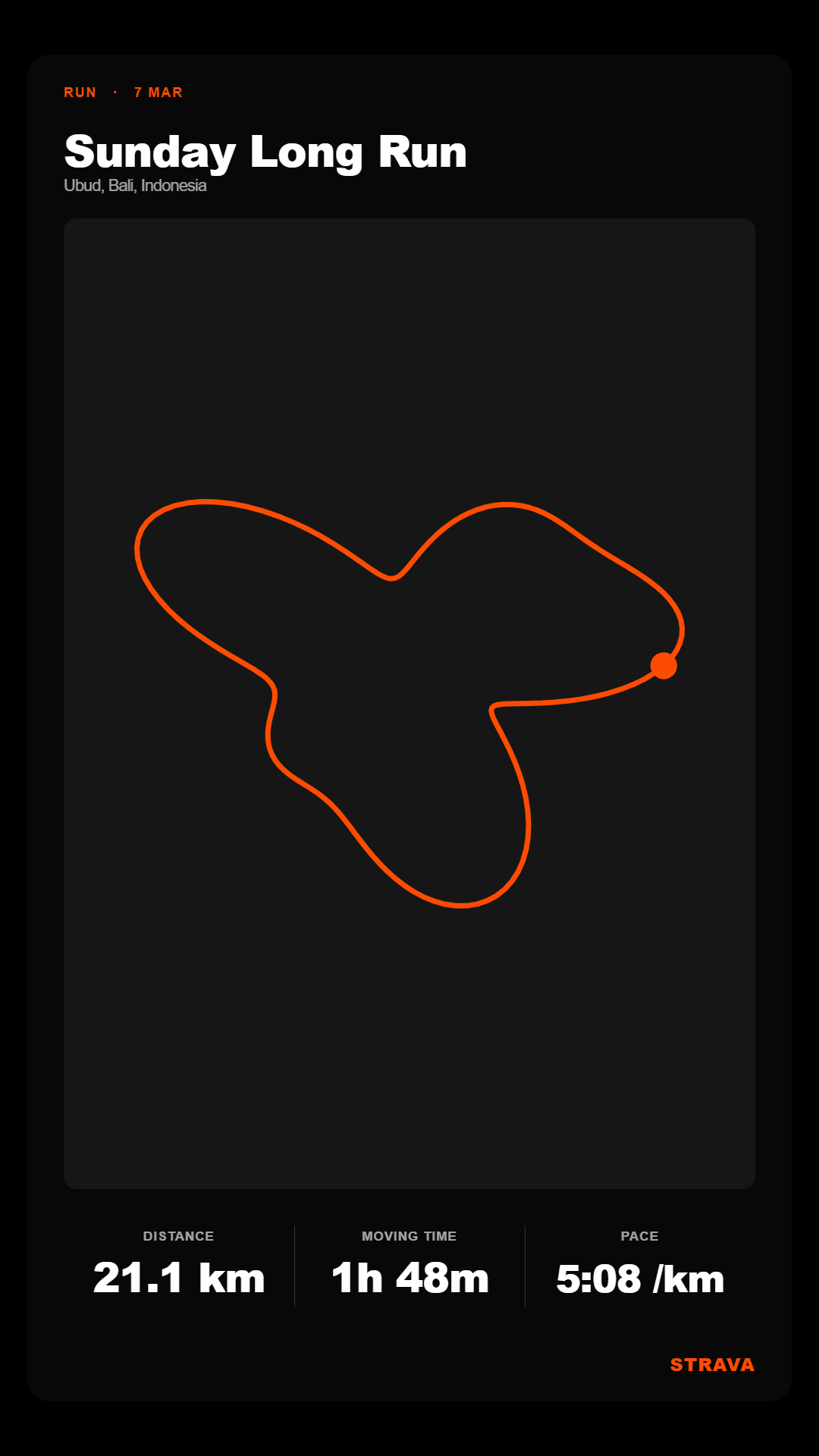
- Generate a 9:16 shareable image of any activity, with multiple layouts, colour themes, a custom background and selectable stats.
Tips
- Activity details. In Activities, click any row to open a card with its route map, full metrics (speed/pace, power, heart rate, cadence, energy, kudos and more) and a link to open it on Strava.
- Sport mode. The Cyclist / Runner toggle filters most sections to that sport, so pace, speed and distance charts reflect just those activities.
- Refresh. Data is cached for speed; hit Refresh to pull the latest activities from Strava immediately.
- Privacy. Use Disconnect to clear this device's tokens and cache, and revoke access entirely from Strava → My Apps.
FAQ — Data & Privacy
- What is Ascent?
- Ascent is a free, independent web app that turns your Strava activity history into a personal analytics dashboard and a share-card studio — stats, trends, heatmaps, segments, calendar, Eddington number, milestones, and 9:16 story cards. Everything runs in your browser and it's not affiliated with Strava.
- Do you collect my data?
- Only your own Strava data, and only after you authorize the app through Strava's secure login (OAuth) — we use it to show you your stats. We also use privacy-friendly analytics (Google Analytics) to understand aggregate, anonymous usage so we can improve the app; this never includes your personal Strava data. We never see your Strava password, we don't collect payment info, and we never sell your data.
- How is my data processed?
- Almost everything (stats, charts, maps, story images) is computed in your browser. Your recent activities are cached so the app loads instantly on repeat visits. The only data we ever write back to Strava is reassigning gear — and only when you explicitly choose to.
- Where is my data stored?
- Only on your device — in your browser's localStorage (login tokens, preferences, and a copy of your recent activities). Nothing is stored on our servers — no activity database, and your tokens are never saved server-side. Your password is never stored.
- Is Ascent safe? How is it secured?
- Your data and tokens live only in your browser (no server-side database to breach); we never see your Strava password; the app's confidential Strava client secret is kept on the server and never shipped to the browser; the only server step is a tiny function that completes Strava's token exchange and stores nothing; and traffic is HTTPS with minimal scopes. You can wipe everything anytime with Disconnect.
- Why isn't my token stored on a server?
- It doesn't need to be, and it's safer not to. Tokens stay in your browser and go straight to Strava. The only thing kept server-side is the app's client secret (so it can't be stolen from the page); the exchange that uses it runs transiently and saves nothing.
- Do you sell or share my data?
- No. We never sell, rent, trade, or share your personal data for advertising or marketing, and we don't build profiles for third parties or use it for anything unrelated to the features you use.
- What permissions does the app request?
read,activity:read_all, andprofile:read_all(to read your activities & profile), plusactivity:writeandprofile:write— used only when you reassign gear on an activity or star segments yourself.- Which third parties are involved?
- Strava (the source of your data), Vercel (static hosting), Google Analytics (aggregate, anonymous usage), and map/asset providers like CARTO & OpenStreetMap (which may see your IP address as a normal part of serving maps and fonts). There's no server-side database for your data.
- Can I delete my data or disconnect?
- Yes, anytime. Use Disconnect to clear this device's tokens and cached data, and revoke the app's access entirely at Strava → My Apps. Since nothing is stored on our servers, that fully removes your data.
- Is this an official Strava app?
- No. Ascent is an independent, free, personal-use dashboard for your own Strava data. It is not affiliated with, endorsed by, or sponsored by Strava, Inc.